For MSSPs & security consultancies
Standardise and Scale Security Assessment Delivery
More assessments mean more findings to review, different deliverables for each client, and retest requests arriving while the next engagement is already underway. Security Reporter is a self-hosted assessment and reporting platform that keeps delivery consistent, while your testers retain the methods and professional judgement each engagement requires.











Move Beyond Document-Based Delivery
For many security providers, the report is still at the centre of the assessment. Testers document findings, reviewers exchange comments, and remediation and retesting follow afterwards through separate emails, documents or tickets.
Security Reporter keeps the assessment itself at the centre. Findings, evidence, review, client communication, remediation and retesting stay connected, and reports are generated from the work already documented.
-
Prepare
Define scope, methodology, requirements and assessment structure.
-
Test
Document findings and evidence as testing progresses.
-
Review and report
Review findings in context and generate technical and management deliverables.
-
Collaborate and remediate
Questions, remediation updates and new evidence stay with the finding.
-
Retest
Verify fixes using the original finding and assessment context.
Collaboration at every stage Testers, reviewers and clients work around the same assessment information.
The report should be the outcome of the assessment, not the workflow itself.
Scale the Delivery Around the Testing
Every extra assessment adds specialist time around the testing itself: reporting, review, client coordination and follow-up. Security Reporter structures that work around the assessment.
Team knowledge
Start from Established Team Knowledge
A new tester joins an engagement for a long-standing client. They need your team’s reporting standard and approved remediation guidance, without searching old reports or asking a senior colleague to reconstruct it.
With the shared library of approved findings, remediation guidance and assessment structures, they start from what the team already knows and write to the same standard as everyone else, without being forced into one technical approach.
Review and oversight
Review in Context, Keep Delivery in View
Two reports are due this week, one finding still needs stronger evidence, and retest requests are arriving from earlier engagements.
Reviewers check whether the evidence supports the impact and whether the remediation advice is actionable, discuss it where the finding is written and compare every revision line by line. Team leads see what is ready, what is waiting for review and which retests are outstanding.
Let Clients Act Before the Final Report
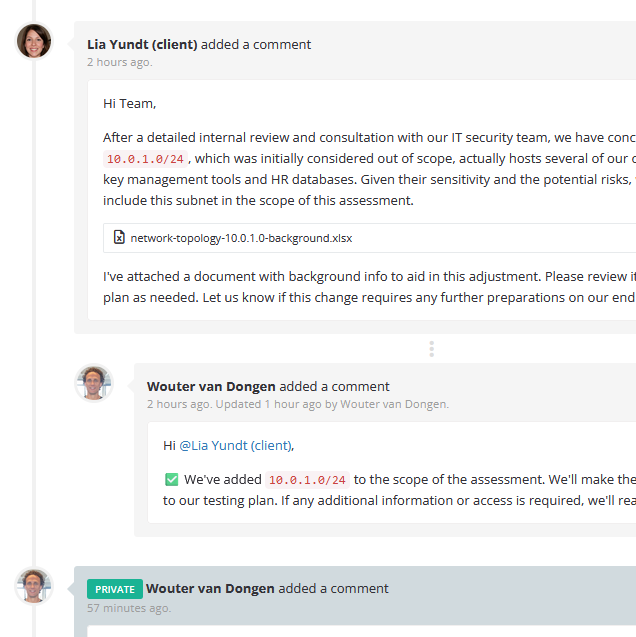
A high-severity finding is ready while testing continues. Once it is reviewed, your team can publish it to the client, discuss the evidence and let remediation begin before the final report is delivered.
Client portal
One Place for Every Client Conversation
Clients reply with context, questions and scope changes in the portal, connected to the assessment and its findings instead of spread across email threads.
Your team controls publication and assessment access, so each client contact sees the information intended for them.
Generate Reports From the Work Already Done
The final report remains an important client deliverable. The client’s engineers need evidence and remediation guidance; its management needs priorities and progress. Producing both should not require testers to reconstruct information that already exists.
Security Reporter generates technical and management reports from structured assessment data, while you keep control of your own templates, branding and reporting standards. Each client receives the deliverables it requires, without anyone reformatting the same information.
Management report
Remediation progress, open findings and priorities.
Technical report
Findings, risk, recommendations and retest outcomes.
Keep Remediation and Retesting Connected
Weeks after delivery, a client requests a retest while the original tester is on another engagement. A colleague needs to understand the original evidence and what the client changed before verifying the fix.
In Security Reporter, the colleague returns to the evidence, remediation updates and earlier discussion on the finding before verifying the fix. Where a client tracks remediation in its own ticketing system, a configured integration can create or update a linked ticket from the finding.
Keep Sensitive Client Data Under Your Control
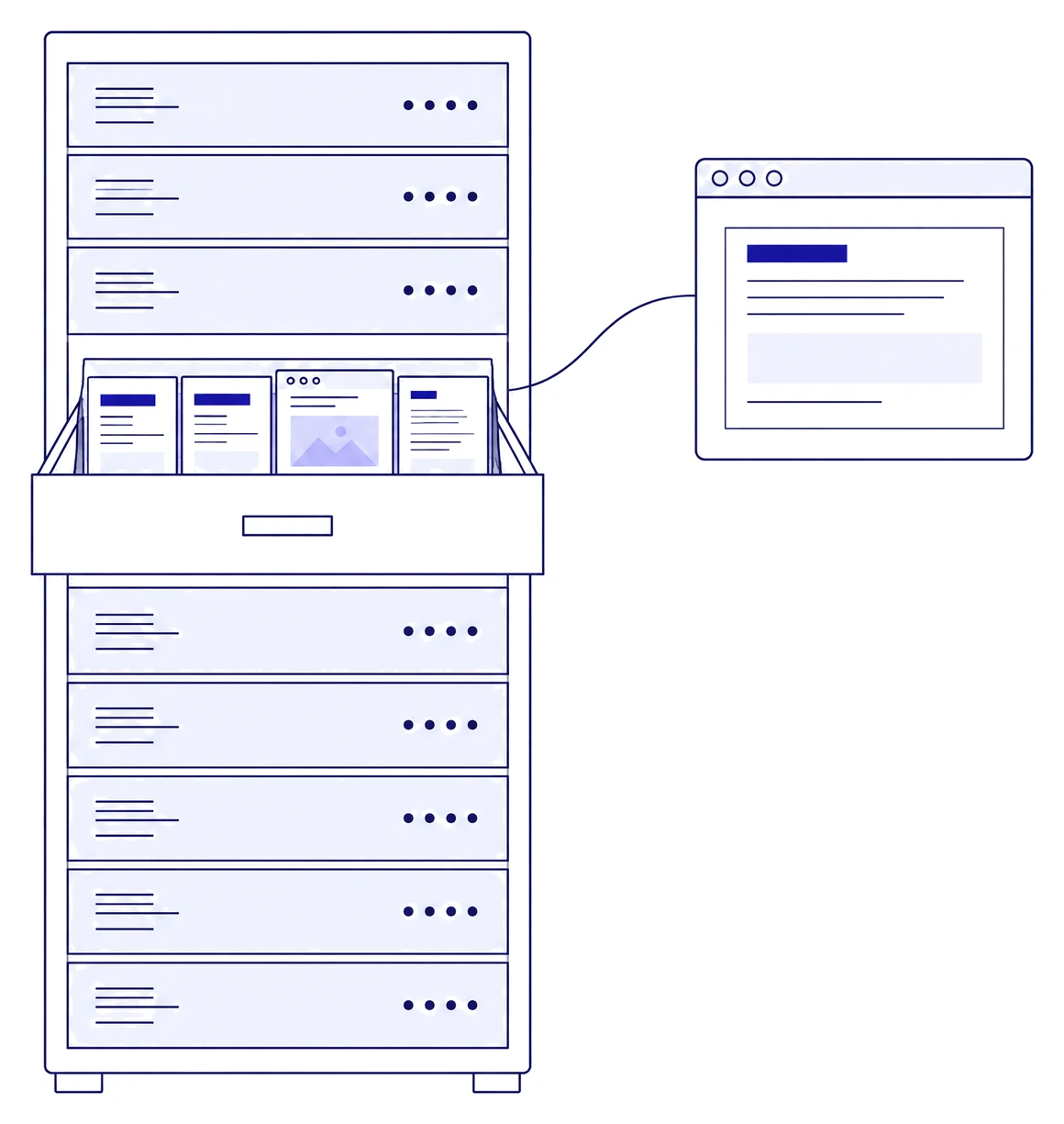
Before an engagement begins, a client asks where their findings and evidence will be stored and who can access them. Security providers handle some of their clients’ most sensitive security information: vulnerabilities, evidence, screenshots, infrastructure details and remediation discussions.
-
Where client data lives
Security Reporter is self-hosted, so findings and evidence stay on infrastructure you control.
-
Who can see it
Assessment-level roles and permissions decide what each client contact sees.
-
How the supplier is assessed
DongIT, the company behind Security Reporter, is ISO/IEC 27001:2022 certified and carries the Cybersecurity Made in Europe label.


A Tested Platform, Maintained by the People Who Build It
Building an internal reporting tool is only the beginning. Once your team depends on it for client delivery, security testing, updates and support become ongoing responsibilities alongside your assessment work.
A security provider is judged by how it handles client data. The platform that holds it deserves the same care as the rest of your service.
-
Independently tested
Security Reporter undergoes independent security testing, and qualified prospective customers can review the latest penetration test report on request.
-
Maintained and updated
Security Reporter follows a monthly release schedule. Releases bring product improvements and, when needed, security fixes, and you are notified when an update is available. When a customer request adds value for Security Reporter and its other customers, we build it into the standard product at no charge.
-
Support from the people who build it
No intermediaries. Your questions go straight to the developers of Security Reporter, who respond quickly and understand assessment delivery.
On our standard licence, pricing is based primarily on team size, so increasing assessment volume alone does not increase its cost.
Recent releases
All release notes
How Orange Cyberdefense Modernised Pentest Reporting
As one of Europe’s largest cybersecurity service providers, Orange Cyberdefense delivers a high volume of penetration tests and security assessments across multiple countries and teams.
For years, the team relied on Microsoft Word combined with a custom reporting plugin.
-
½ day
saved on report writing per researcher, every week
-
20 min
to build a report theme in one client’s own colours and fonts
-
Same day
from a blocking issue to a hotfix or workaround
Questions Before the Demo
Can we keep our reporting standards and client-specific deliverables?
Your branding and report structure are configurable, and we review your requirements during the evaluation. Security Reporter generates PDF reports from the assessment data, with your branding and your choice of sections per assessment type, template or assessment, and separate technical and management reports. Security Reporter supports multilingual reporting. Changes are made in the findings, templates or report configuration, and the report is generated again. We help you set up your initial report theme as part of onboarding. Security Reporter does not generate Word reports. If editable Word output is required, a separate document-generation workflow can be built using data retrieved through the API.
Can each client see only the information intended for them?
Yes. Assessment-level roles and fine-grained permissions control who can see published findings, reports, discussions and retest requests. Client access is configured for each assessment.
Can we keep using our existing testing tools and client ticketing systems?
Yes, through imports and configured integrations. Output from supported tools, including Nessus, Qualys, Nmap and Burp Suite, is imported directly into the assessment. Other systems, such as a client's Jira or Azure DevOps, connect through the REST API and webhooks, or through Zapier and n8n, for example to create or update a ticket from a finding. Supported file imports use Security Reporter's import functionality; connections to other systems are configured around the data and actions you want to exchange.
What happens to our existing findings and assessment history when we move?
You decide what to keep as reference and what to migrate. Earlier reports can be kept as attachments on assessment records, so they stay available as reference; their findings are not converted into structured records automatically. Supported tool output can be imported, and an existing finding library, from Word or an in-house tool, can be migrated into Security Reporter as structured data through the API. We agree the field mapping before the migration starts.
Is Security Reporter priced per assessment or per report?
No. Security Reporter is licensed as one product. Our standard licence has no per-assessment or per-report charges, no feature tiers and no usage-based API charges. Pricing is based primarily on team size, so increasing assessment volume alone does not increase its cost. Team size is the number of administrators and researchers; client accounts and external testers do not count towards it.
How is Security Reporter deployed and maintained?
Security Reporter is self-hosted and deployed with Docker on infrastructure you control, on-premises or in a private cloud, so client findings, evidence and reports stay within your environment. Your team runs the installation and decides when to update; we develop and maintain the software on a monthly release schedule, with support from the developers.
Can we export our data if we decide to move away?
Yes. Generated PDF reports, attachments and other evidence are stored on storage you control, such as your own file share, and can be copied without our help. Findings, assessment templates, finding templates and other structured records can be retrieved through the API as JSON. If active work stops but the installation must stay accessible, for example to answer a client's question about an earlier assessment, a dormant licence keeps the data available and includes security updates.
How do we evaluate a move from Word or an internal tool?
Start with a representative engagement. Bring a representative report and engagement workflow. Together we walk through your reporting requirements, finding review, client access and retesting, and identify what needs configuration or migration before a wider rollout. You can run production assessments in Security Reporter during an agreed proof-of-concept period while your current way of working remains available.
Does Your Assessment Workflow Look Familiar?
If your team delivers assessments across separate documents, emails and tools, see how Security Reporter could fit into your existing delivery process.