A European PlexTrac Alternative
for Security Assessment Teams
Security Reporter is a self-hosted platform built specifically for professional security assessments. It gives assessment teams and their clients one structured workflow, from methodology and testing through findings, review and reporting to remediation and retesting.











Comparison
How Security Reporter Differs from PlexTrac
Security Reporter and PlexTrac both support professional security assessments, but they reflect different product priorities. Security Reporter focuses on the assessment lifecycle, while PlexTrac places assessment delivery within a broader exposure-management platform.
Security Reporter
Assessment delivery is the core product
- Point-in-time and continuous assessments
- Methodology, checklists and testing
- Findings and peer review
- Reporting and client delivery
- Remediation and retesting
Security Reporter brings the complete assessment lifecycle into one controlled workflow, backed by SSO and SCIM, granular permissions, activity and version history, and configurable integrations.
PlexTrac
Assessment delivery is part of a broader platform
- Security assessments
- Exposure management
- CTEM and programme-level workflows
PlexTrac combines pentest reporting with broader exposure-management capabilities.[1]
One source of truth
The Assessment Remains the Source of Truth
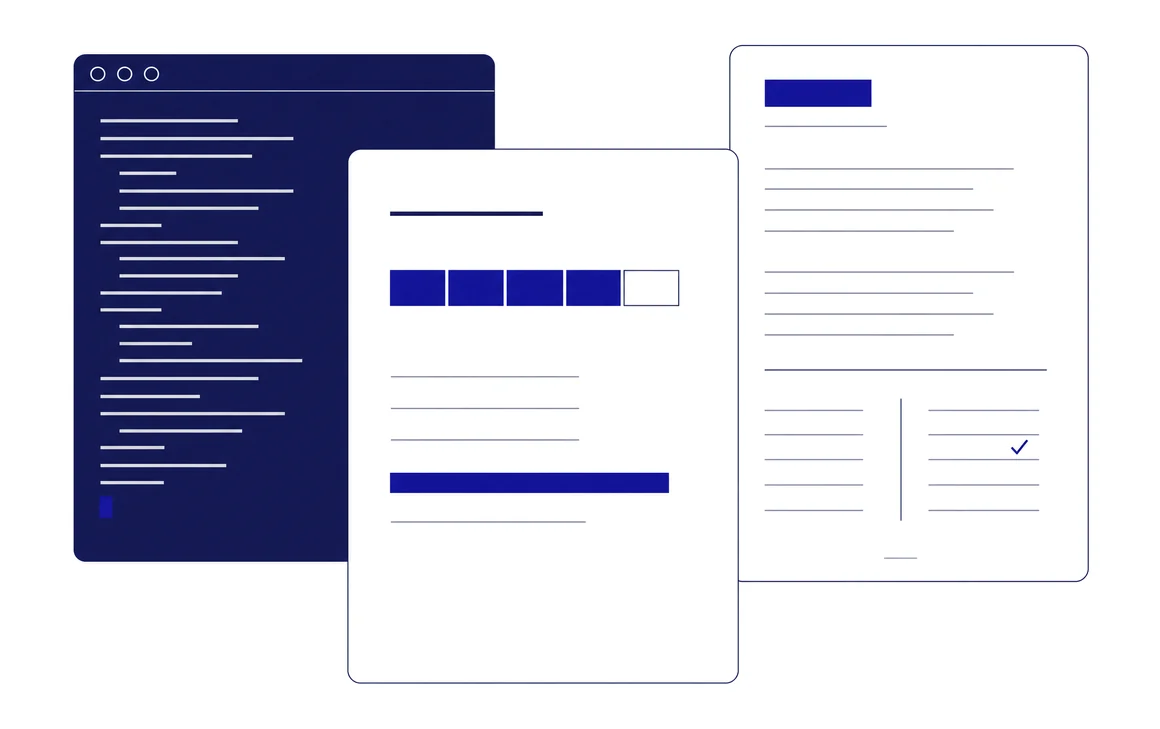
Security Reporter treats the assessment itself, rather than an exported document, as the authoritative record. Findings, evidence, risk ratings, remediation information and report content remain structured in one place.
When a final report needs to change, update the underlying assessment data or reporting configuration and generate the output again. Report structures, themes, fields, terminology and templates are configurable, so manual changes after export are not needed.
PlexTrac supports editable Word exports through its export templates.[2] This enables post-export editing, but those changes are no longer reflected in the source assessment data. Security Reporter instead keeps each deliverable reproducible, reviewable and connected to the same assessment.
Reporting standard
Researchers Focus on Content. Security Reporter Maintains the Reporting Standard.
Researchers should own the technical quality of their work. Report consistency should not depend on individual authors.
Researchers focus on evidence, reproduction steps, impact, severity, remediation and clear technical writing. Security Reporter applies the organisation’s reporting structure and presentation rules consistently to every assessment.
Whether one researcher contributes to an assessment or twenty, the deliverable follows the same structure and presentation. Structured, Markdown-based authoring means researchers never make layout decisions.
Standardising security reports for international adaptability
European requirements
European Requirements Are Part of the Design
Security Reporter is designed around requirements we regularly encounter among European MSSPs and enterprise security teams. Multilingual reporting, localised templates and terminology, adaptable assessment structures, and regional methodologies and scoring models are part of the standard product.
Managing multilingual security reporting templates with AI and MCP
-
Multilingual reporting
Themes, assessment templates, checklist templates, finding templates and snippets can each include language variants. Field labels and severity names are localised centrally.
-
Regional methodologies and scoring
Alongside CVSS and the OWASP risk rating, Security Reporter includes the PASSI risk rating developed by ANSSI, which scores findings by combining impact and ease of exploitation.
-
Adaptable terminology and structure
Organisations can adapt fields, labels, methodologies and report structures to their operating model.
Integration surface
Build Integrations Around Your Workflow
Organisations integrate Jira, ServiceNow, internal tools and AI-enabled workflows in different ways. Security Reporter therefore provides a configurable integration layer rather than prescribing a single workflow.
Use the API, webhooks, Model Context Protocol (MCP) and automation platforms such as n8n or Zapier to control when data moves, how fields map, which actions are authorised and which systems participate. The same layer supports AI agents that can create and update assessments and findings, limited by the role, scope and abilities of their API token.
At the time of writing, PlexTrac’s MCP server is deliberately read-only.[3]
Security Reporter may be the stronger fit when
- Professional security assessments are the primary deliverable.
- You run both fixed-scope and continuous assessments.
- Consistent reporting quality across researchers matters.
- Multilingual or regional assessment requirements are part of normal operations.
- Methodologies, structures and terminology need substantial customisation.
- Integrations need to reflect the way your organisation actually works.
PlexTrac may be the stronger fit
If your primary objective is exposure management or programme-level security workflows rather than assessment delivery itself, that is the ground PlexTrac is built for.
Security Reporter standardises the parts of assessment delivery where consistency improves quality, while keeping the parts that genuinely differ between organisations adaptable.
Sources, retrieved 27 August 2026
- [1] plextrac.com/platform, module and capability names
- [2] docs.plextrac.com, export templates and style guides
- [3] plextrac.com, introducing PlexTrac enabled MCP
All statements about PlexTrac above are based on these public sources. We omitted claims that we could not verify. If any information is out of date, contact us and we will correct it.
Migration
Validate the Workflow Before You Migrate
Switching assessment platforms is more than a data-transfer exercise. Methodologies, templates, review workflows, report structures, identity and integrations must work in the target platform before the team transitions.
We therefore recommend running Security Reporter alongside PlexTrac during an agreed proof-of-concept period.
-
01
Run side by side
Complete production assessments in Security Reporter during an agreed proof-of-concept period while PlexTrac remains available.
-
02
Validate the workflow
Confirm how methodologies, templates, findings, review, reporting and integrations should work in Security Reporter, based on real assessment work rather than assumptions.
-
03
Define the migration
Decide how each content type will be handled: imported, provisioned, mapped, rebuilt or retained as historical material.
-
04
Switch when ready
Transition the team and active assessments to Security Reporter after the workflow has been validated and the migration scope has been agreed.
What Can Be Imported, Mapped or Rebuilt?
| Content | Approach | What that means |
|---|---|---|
| Clients and projects | Imported | Created programmatically in your Security Reporter instance through the API during onboarding, without manual re-entry. |
| Users and roles | Provisioned | Users can be created through the API or provisioned from your identity provider through SCIM. |
| Finding templates | Mapped | Reusable finding templates are deduplicated and imported into the Security Reporter findings library. Where needed, AI-assisted conversion can adapt their formatting to Security Reporter’s Markdown syntax while preserving the original technical content. |
| Custom fields | Mapped | Adapted to Security Reporter custom fields and finding layouts. Fields with no direct equivalent are reviewed with you rather than dropped without notice. |
| Report templates | Rebuilt | Rebuilt with your team to match the structure, branding and terminology of your deliverables. This usually accounts for most of the migration effort. |
| Methodologies and workflows | Rebuilt | Your methodologies are rebuilt as checklist workflows that guide researchers through each assessment. |
| Integrations | Rebuilt | Rebuilt using Security Reporter’s API, webhooks, and n8n or Zapier connectors. |
| Historical assessments | Archived or imported | Kept as the delivered record, or migrated as structured findings where that content still has value. |
Historical assessments
Keep Completed Assessments Accessible
Archive
Keep the delivered record
Create a historical assessment in Security Reporter and attach the existing PlexTrac report and relevant files. This keeps the original deliverable accessible without reconstructing completed work.
Structured migration
Reuse historical findings
Import findings that still have operational value as structured Security Reporter data using the API and supported migration tooling. Researchers can then search and reuse approved technical content in future assessments.
Workflow
Run Assessments from Methodology to Retest
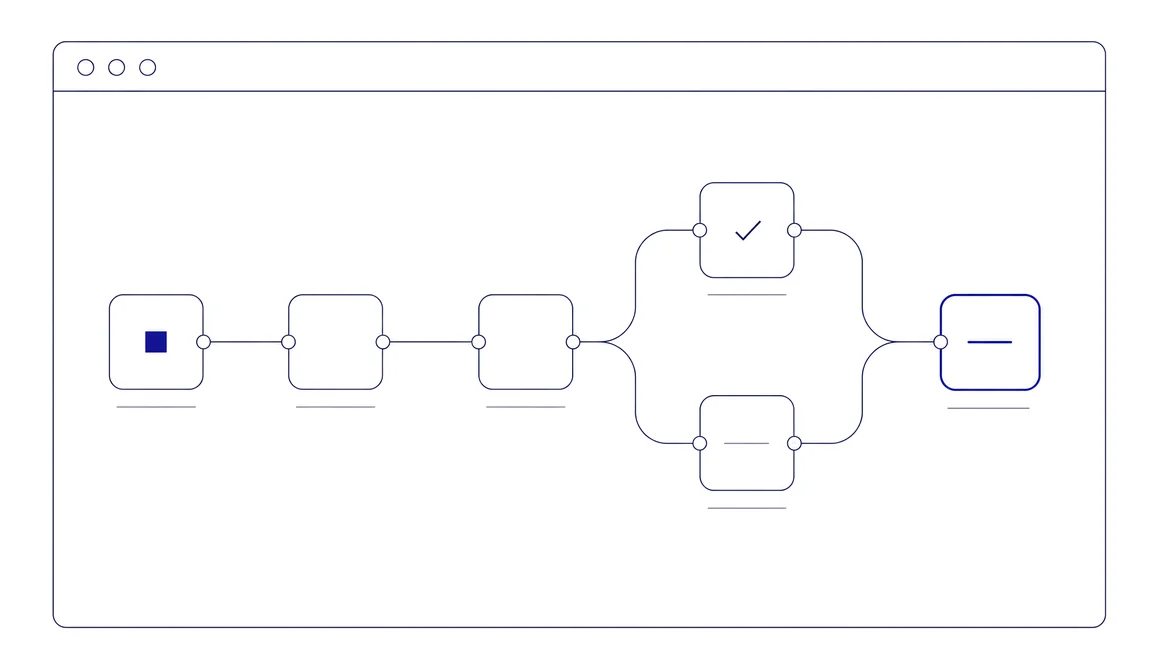
Security Reporter runs the whole assessment in one workflow. The PDF is an important deliverable, but it is not where the workflow starts or ends.
- Methodology
- Testing
- Findings
- Review
- Client collaboration
- Remediation
- Retest
- Next assessment
Methodology to review
Bring Every Finding into One Review Workflow
Start with the methodology, test structure and risk model your team already uses.
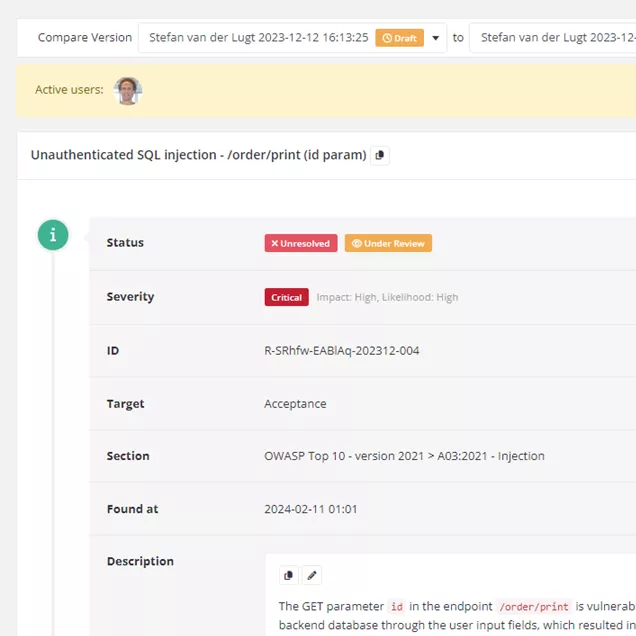
Researchers can write findings, use templates, import results from well-known security tools, or import unresolved findings from earlier assessments. AI assistants can create or update findings through the built-in MCP server. Every finding follows the same structure and review workflow.
Collaborative remediation
From Finding to Remediation and Retest
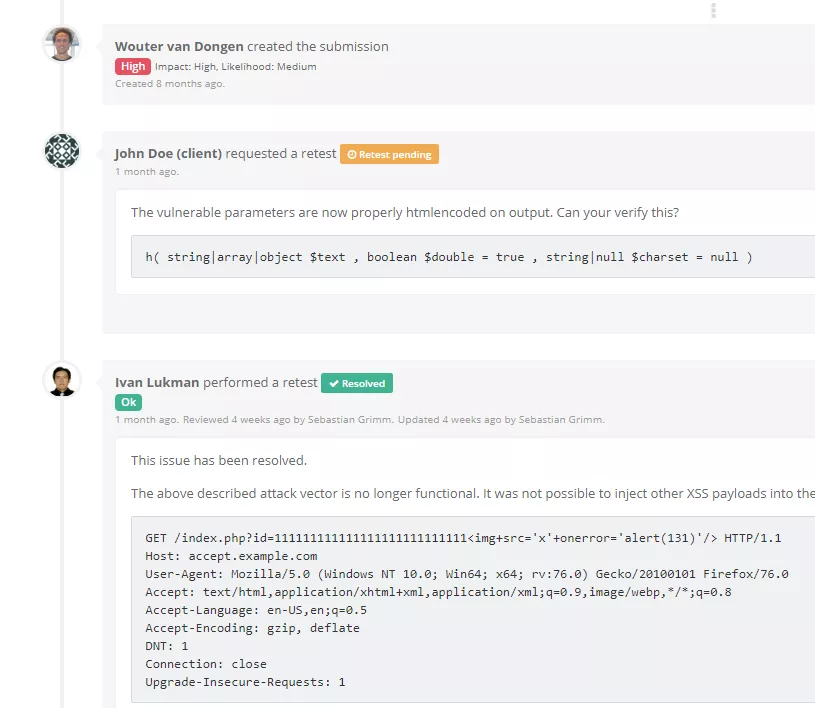
Clients do not need to wait for the final report before remediation begins. They can access approved findings during the assessment, add context and request verification once remediation is ready for retesting.
Discussions, remediation updates and retest results remain connected to the original finding, giving the assessment team and the client a clear history of what was reported, what changed and what was verified.
Vendor, assurance and pricing
Know Who Stands Behind the Product
An assessment platform becomes part of your delivery process for years. Before switching, you should know who controls the product roadmap, how the platform’s security is independently assessed and how licensing works.
Built and supported in the Netherlands
Security Reporter is developed and supported by DongIT, an independent, owner-operated Dutch cybersecurity company. Product direction stays with the company that builds and supports it.
Independent assurance you can verify
Security Reporter undergoes independent security testing, and qualified prospective customers can review the latest penetration test report on request. DongIT is also ISO/IEC 27001:2022 certified and holds the CCV quality mark for its penetration testing services.
The CCV quality mark applies to DongIT’s assessment services, not to the Security Reporter software itself.



One product, priced by team size
Security Reporter is sold as one product, with pricing based primarily on the size of the team using it.
- No assessment or report-volume pricing
- No feature tiers
- No usage-based API pricing
- Published multi-year discounts
Questions Before You Switch
Is Security Reporter a one-to-one replacement for PlexTrac?
No. Both platforms support professional security assessments, but they are built around different scopes. Security Reporter focuses on assessment delivery, from methodology and testing through reporting, remediation and retesting. PlexTrac also covers broader exposure-management and security-programme workflows. During the proof of concept, we identify any capabilities that do not map to Security Reporter.
How is Security Reporter deployed?
Security Reporter is self-hosted and deployed with Docker on infrastructure you control, whether on-premises or in a private cloud. The database, file storage, network access, logging, backups and retention remain within your environment.
How much of our PlexTrac setup can be migrated?
It depends on the type of data. Clients and projects can be created through the API, while users and roles can be provisioned through SCIM. Finding templates and custom fields can be mapped. Report templates, methodologies and integrations normally need to be adapted or rebuilt. We define the exact scope before the production migration begins.
Can we run Security Reporter alongside PlexTrac before migrating?
Yes. We recommend running production assessments in Security Reporter during an agreed proof-of-concept period while PlexTrac remains available. This gives researchers, reviewers and delivery leads time to assess the workflow and decide which data and configurations should migrate.
Can we keep our historical PlexTrac reports and findings?
Yes. Existing reports and relevant attachments can be retained in historical assessment records in Security Reporter. Findings that still have operational value can also be migrated as structured data for researchers to search and reuse. The appropriate migration depth can vary by assessment.
How long does a PlexTrac-to-Security Reporter migration take?
Migration timelines vary. They depend on the number of active assessments, the amount of historical content being retained, the complexity of your report templates and methodologies, and the integrations that must be rebuilt. We establish a realistic migration plan after the target workflow and migration scope have been validated.
Does Security Reporter support continuous assessments?
Yes. Security Reporter supports both fixed-scope and continuous assessments, including assessments without fixed start or end dates.
Does Security Reporter support AI-assisted security assessments?
Yes. Security Reporter includes an MCP server that lets authorised AI agents retrieve assessment context and create or update assessments and findings within existing roles and permissions. It is model-agnostic, allowing teams to connect European, privately hosted or enterprise-approved models. Every action is auditable.
How is Security Reporter priced?
Security Reporter is licensed as one product, with pricing based primarily on team size. There are no feature tiers, assessment or report-volume charges, or usage-based API charges. Published discounts are available for multi-year agreements.
Can we migrate away from Security Reporter if it is not the right fit?
Yes. Generated PDF reports, attachments and evidence remain on the storage configured for the installation. Findings, templates and other structured records can be retrieved through the API as JSON. If active assessment work has stopped but the installation must remain accessible, a dormant licence keeps the data available and includes security updates.
See How Your PlexTrac Setup Would Map to Security Reporter
Tell us how your team uses PlexTrac today. In a tailored demo, we will show how that workflow would operate in Security Reporter and explain what could be imported, mapped or rebuilt before you make a platform decision.