Security research can often feel like invisible work. Researchers spend a week chasing down vulnerability after vulnerability. By Friday, everyone knows they worked hard, but nobody has a clear sense of who's carrying the team. There is no reward for your hard work, and there is no motivation to try harder next time.
That's a motivation problem, not a reporting problem. And there's a well-known fix for it, and it's gamification: the process of borrowing game design elements like leaderboards and achievements, and applying them to non-game contexts. From language learning apps to fitness trackers, the same mechanics are used to push people toward hard goals.
In this blog, we'll apply one such design concept to Security Reporter: a weekly leaderboard. The goal isn't surveillance or punishment. Instead, the aim is to make the achievements of each researcher more visible, to reward the hardest-working people, to motivate coworkers to compete with each other, and to challenge them to surpass their previous highs.
What we are building
Our goal is to build a fully autonomous n8n workflow that posts a weekly leaderboard to your team's communication platform, such as Slack or Microsoft Teams. The ranking is ordered by a score given to each researcher, calculated by the findings, reviews, and retests performed by a researcher over the last week.
The main source of points is creating a finding. Higher vulnerability findings give more points. The following table shows the distribution of points:
| Severity | Points |
|---|---|
| Critical | 15 |
| High | 10 |
| Medium | 6 |
| Low | 4 |
| Info | 3 |
| OK | 2 |
You can also gain points by performing one of the following actions:
| Action | Points |
|---|---|
| Perform a retest | 3 |
| Review a finding | 1 |
| Review a retest | 1 |
| Review a section | 1 |
Prerequisites
- A Security Reporter instance
- A self-hosted or cloud instance of n8n. Requires version 2.0.0 and above.
- n8n reporter nodes (n8n-nodes-reporter). Requires version 2026.4.20 and above.
- A Slack workspace of your organization.
Step 1: Create a dedicated Security Reporter API Key
Logged in as an admin user, create an API token for n8n.
Name: n8n weekly leaderboard
Permissions:
- Activity: Read
- Finding: Read
- User: Read
Step 2: Configure n8n
1. Import the workflow
Import the workflow JSON into n8n and use it as a starting point.
The workflow should look like this:
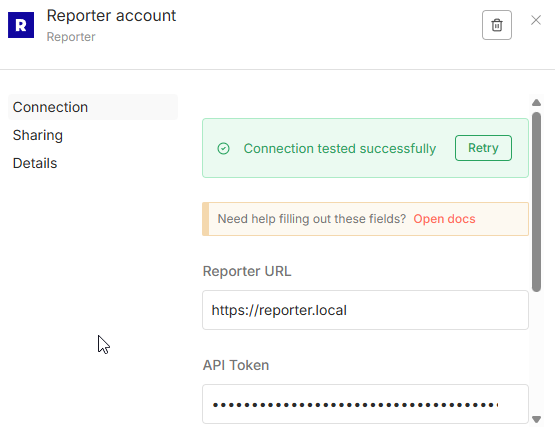
2. Configure Security reporter credentials
Configure the Reporter credentials in n8n using the API token you created in Step 1:
3. Connect to the platform of choice
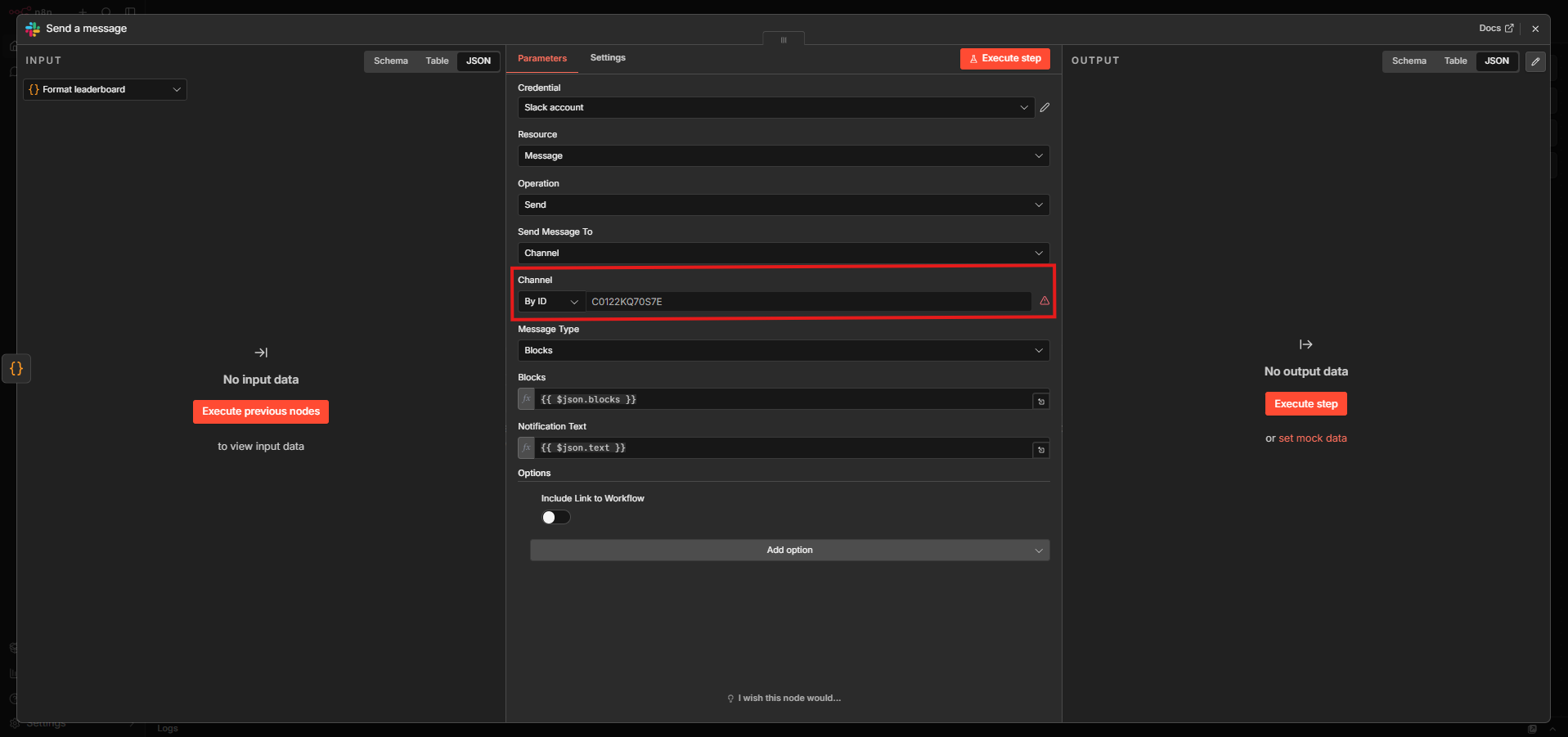
In the example workflow, we use Slack as the platform of choice. You can also use any platform with an n8n node for creating messages, such as Microsoft Teams or Google Chat. You can read the n8n docs for your node to see how to set up credentials. You should ensure that the connection used has write access to your target channel.
After setting up the credentials, add the channel ID to the Channel parameter.
4. Formatting the leaderboard
The formatting of the leaderboard in the example workflow is made to work with Slack. The output looks like this: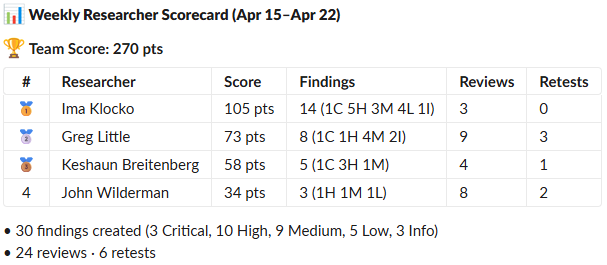
If you want to modify the look of your table or use a different platform, you can modify the Format leaderboard node.
You can further customize the other nodes to change when the message is posted or how the score is calculated. Once you are happy with the result, hit Publish for the workflow.
Closing Words
This is just an example of a workflow that gamifies Security Reporter. It could be expanded to include additional elements, such as streaks or achievements, which would allow researchers to put in the effort to maintain a high level of performance and challenge them to reach new goals.